The alerts functionality allows user to set up automated email alerts for when new records are added to the NBN Atlas and for when records have been flagged (annotated). All you alerts will be saved in your profile, where you can manage them, including how often you want to receive the alert emails. You can access the My alerts page via the My Profile (1) page (visible when you are logged in and located in the NBN Atlas page banners) and then click the Manage your alerts link (2).
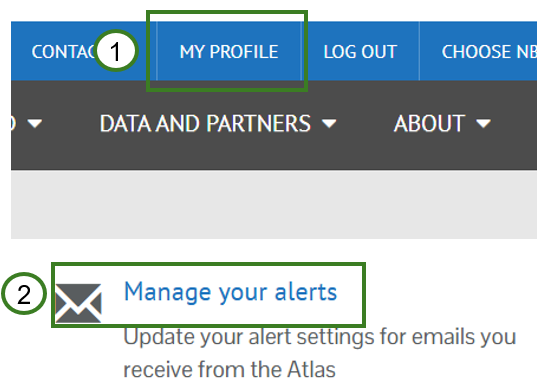
From here you can set up general alerts, e.g., for any new records added to the NBN Atlas.
Setting up alerts
See below for setting up customised alerts for…
New records for a species via a species page
Navigate to the species page of interest (see the finding basis species information page). Scroll down and click on the Receive alerts when new records are added link (3).
New records shared by a data partner or within a specific data resource (dataset)
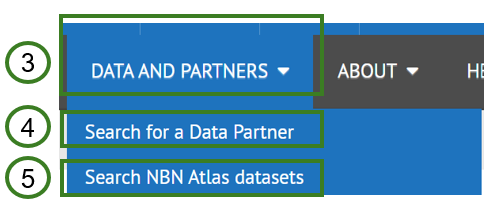
Navigate to a data partner page via the Data and partners (3) tile in the NBN Atlas page banners. To find a data partner and their page, click Search for a Data Partner (5). If you know the name of data resource (dataset) you want to search for you click on Search NBN Atlas datasets (5)
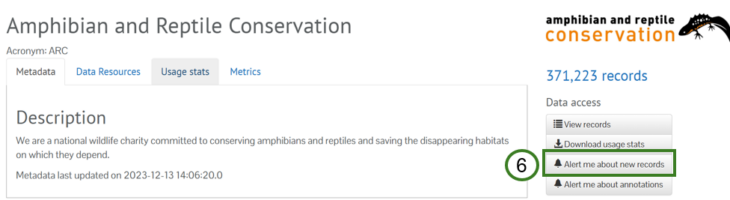
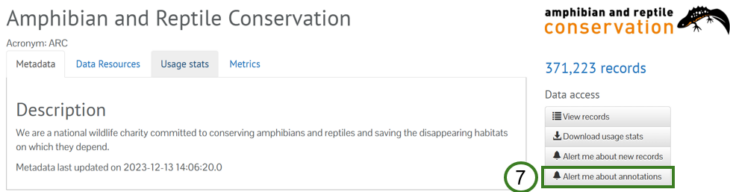
On the data partner and data resource pages you can click on the Alert me about new records button (6)
New flagged issues (annotations) via a data partner or data resource page
This alert is particularly useful to data partners for monitoring issues flagged on their records. Follow the steps above for setting up and alert for new records by a data partner or in a data resource, but click on the Alert me about annotations button (7)
Set up alerts for new records in a specific occurrence search
There are several options for searching for occurrence records on the NBN Atlas, see guides for each search here. You can set up alerts for when new records are added for an occurrence search. Complete an occurrence search and view the records using the Records tab (8). Then click on the Alerts button (9).
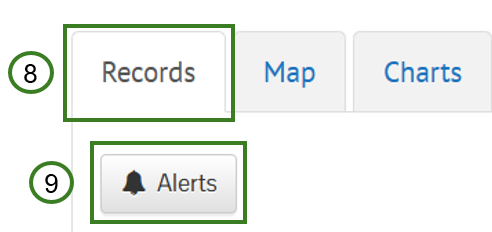
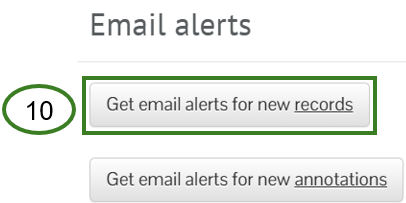
Finally click on the Email alerts for new records button (10).